

Xim Matrix with Ferrum/Makcu Guide
Manual how to connect and set up Xim Matrix with Ferrum or Makcu to use aimbot on controller with DMA cheats.
Please note that in addition to Xim Matrix and Ferrum/Makcu, you will also need a DMA card, Firmware and a DMA cheat to use aimbot.
You can buy Xim Matrix, Ferrum and Makcu in our store.
INSTALLATION
TROUBLESHOOTING

DOWNLOAD
Recommended Hardware
Recommended USB cable — any USB 2.0 or 3.0 cable.
Recommended mouse — any wired or wireless mouse.
Your Main PC must have Bluetooth.
If you don't have a Second PC, we recommend — Mini PC.
Recommended OS — Windows 11.
Setting up Xim Matrix
1. Download DMA Cheats folder to your Main PC.
2. Unzip the 6. Xim Matrix folder to any convenient location, such as your desktop.
3. First, we are going to install the latest firmware version for Xim Matrix (don't confuse it with firmware for DMA card, it's a different thing). If you already have the latest firmware installed, then go straight here.
If you want to make sure that your firmware version is up to date or you want to update it, then:
Go to 6. Xim Matrix\Firmware updater folder and run XIMMATRIXFlash-20260714-PC.exe on your Main PC.
4. Hold this button and at the same time connect USB cable from this port to your Main PC.

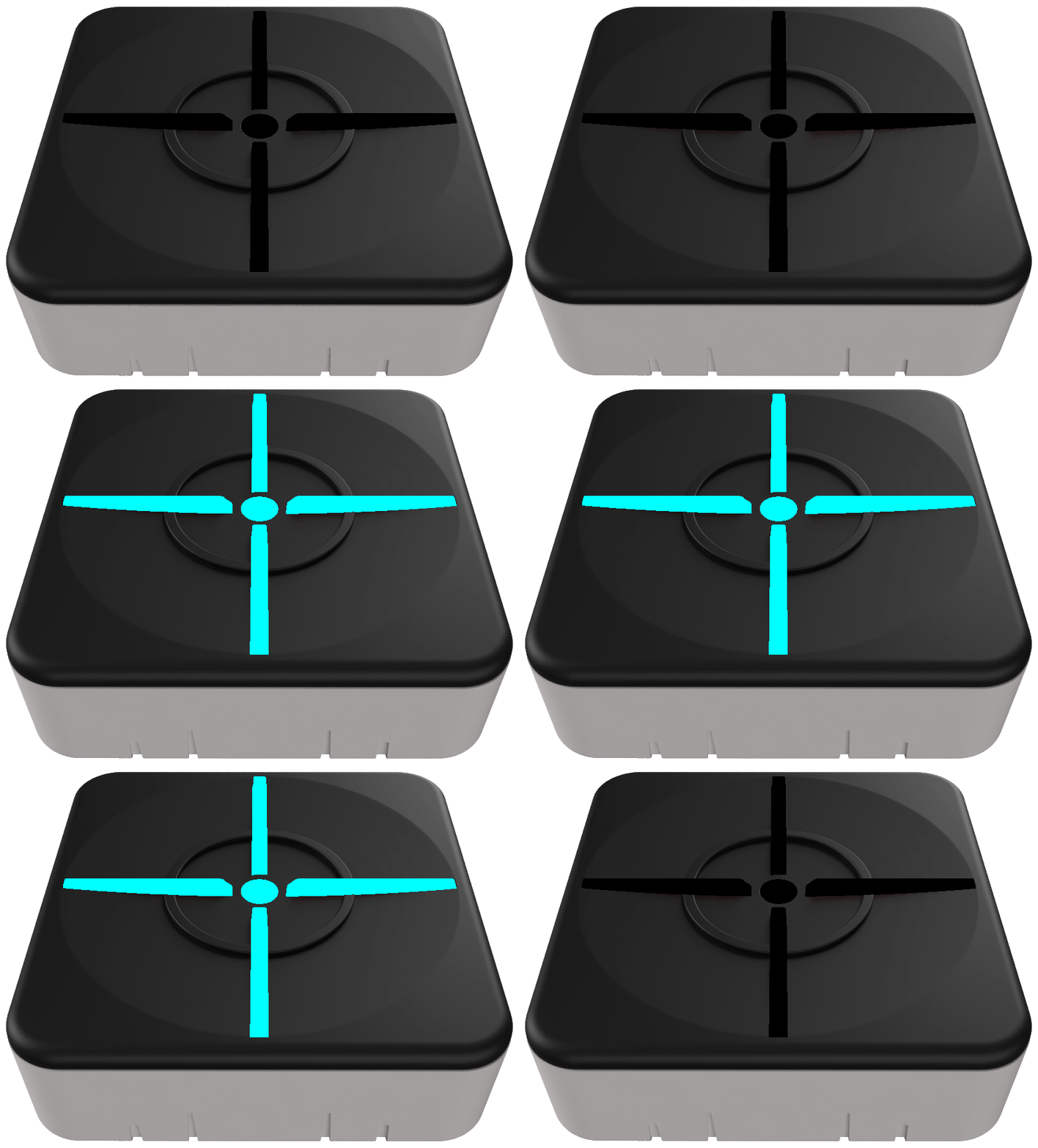
5. At this point, the Xim Matrix should be lit in blue. If this is not the case, repeat the previous step.
After that, click UPDATE to install the latest firmware.

Connecting Xim Matrix to Ferrum or Makcu
1. If you use Xim Matrix with Ferrum, connect all the cables according to this diagram:

If you use Xim Matrix with Makcu, connect all the cables according to this diagram:

* The Mouse connected to Ferrum or Makcu will not work on either the Main PC or the Second PC. It's only required for the entire setup to function correctly.
Therefore, you will need a separate mouse for the Main PC and another one for the Second PC — 3 mice in total.
2*. Instead of connecting the controller with a cable, you can use a wireless connection.
To do this, press and hold the button on the Xim Matrix for 3 seconds until it starts flashing blue.

3*. Next, press and hold the appropriate buttons on your controller to pair it with the Xim Matrix.
Pair Xbox Controllers
Pair PS4 & PS5 Controllers

Xbox controllers with Bluetooth support (such as the Elite 2, Series, and One).
-
Turn on controller.
-
Press and hold the sync button until the guide button blinks quickly.

DualSense, DualSense Edge and DualShock 4 controllers.
-
Start with controller off.
-
Press and hold the share button and then press and hold the PS button.
-
Do not release until controller starts blinking rapidly.
If you can't pair your devices, use a wired connection. If you have a different controller, read this guide.
Setting up Xim Matrix Manager
1. Go to the folder 6. Xim Matrix and install XIMMATRIXManager-20260714-PC.exe on your Main PC.
If the program prompts you to download an update, do it.

2. After installing, run XIM MATRIX Manager. To connect Xim to your PC for the first time, click on the button indicated in the screenshot below.

3. Create a new Config by pressing the vertical dots on the top right and selecting NEW CONFIG.


4. Click CUSTOM.

5. Select the game you are going to play. You may see different options such as Standard, Linear etc. (the names may vary). To find out which one to choose, go to the game settings: Controller > Aiming > Advanced Aiming Settings > Aim Response Curve Type. Mine is set to Standard by default, so I select Standard.
Scroll right at the buttom and select platform: PC.

6. Select Input and Output devices as shown in the screenshot below.

7. Go to the folder 6. Xim Matrix and open Configs.txt. There you will find configs for some games. Select the one you need and copy it.
8. Click the buttons as shown in the screenshots below to apply the config.


9. Run the game you are going to play on your Main PC and launch DMA cheat on your Second PC.
10. Make sure that the Aiming Input Device in the game settings is Controller.
P.S. In most games, you don't need to do this, the game selects the Aiming Input Device automatically.

11. Enable and set up aimbot through the cheat menu if you haven't done it yet.

12. Bind a button to activate the aimbot (I recommend using the fire button).

That's it, now aimbot should work on your controller. You can customize your Xim Matrix settings using the XIM MATRIX Manager. Documentation and troubleshooting guides are available here.
This guide covers the basic setup, which is already sufficient to use aimbot with a controller.
Every time when you play the game, you must run XIM MATRIX Manager and load the config you created.
New Video Manual will be released soon
Controller doesn't Work
If your controller doesn't work when connected wirelessly, then:
-
Make sure that controller has enough battery charge.
-
Try to use wired connection method.
-
Make sure that you installed XIM MATRIX Manager correctly and launched it.
-
Try to use another gamepad, maybe your gamepay is not supported.
-
Read Troubleshooting on developer's website — https://guide.xim.tech/Troubleshooting-Xbox
Xim Matrix Manager doesn't work
If Xim Matrix is not connecting to the XIM MATRIX Manager, make sure that Bluetooth is available and enabled on your Main PC.
Controller Operation Bugs
The fact that there will be no vibration and tactile feedback on the controller is normal and nothing can be done about it, since it's connected through the Xim Matrix.
If you have any other bugs when using the controller, please refer to the instructions provided by the developers — https://guide.xim.tech
Aimbot is not Working
1. Make sure you have successfully set up Ferrum or Makcu according to their respective setup guides.
2. Make sure that your controller is paired with Xim Matrix.
3. Make sure that the cheat has successfully connected to your Ferrum or Makcu (you can do the HID cursor move test through the cheat menu).
4. Make sure you have enabled and configured the aimbot in the cheat menu and assigned a keybind to activate it.
Where to download?
You can download DMA Cheats folder here — https://www.dma-cheats.com/download
